![Picup Media_Logo_on White_RGB.png]](https://support.picupmedia.com/hs-fs/hubfs/Picup%20Media_Logo_on%20White_RGB.png?height=40&name=Picup%20Media_Logo_on%20White_RGB.png)
Quick Answer
The GemLightbox Pro includes an adjustable smart phone stand that allows you to securely mount your smartphone for photography. You can change the stand's height, angle, and orientation (vertical or horizontal) to capture the perfect shot of your jewelry.
Before You Start
Have your GemLightbox and the included phone stand ready.
Have your smartphone available.
Steps
Choose Smartphone Orientation: Decide if you want to shoot in portrait (vertical) or landscape (horizontal) mode. The phone stand's clamp can hold your smartphone in either direction.
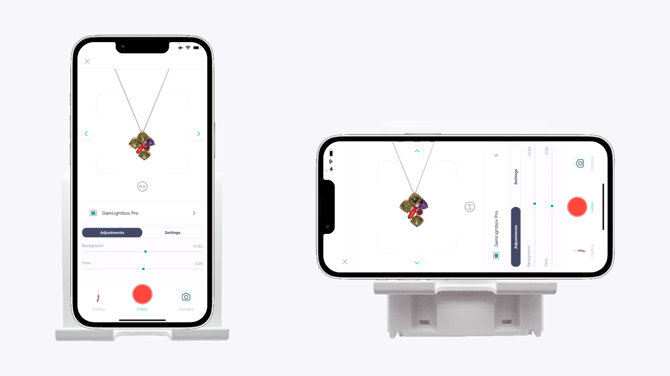
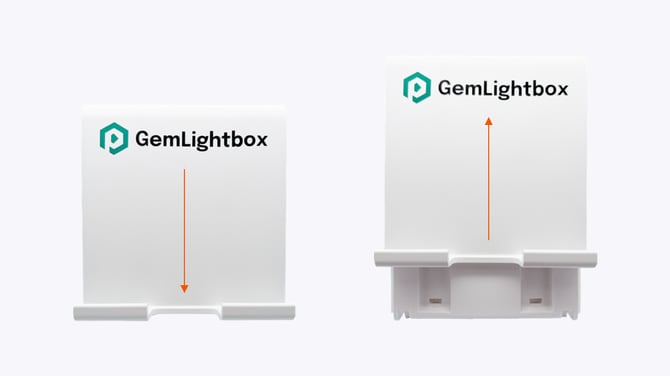
Adjust the Height: Slide the arm up or down to your desired height. Once adjusted, the height will hold its place
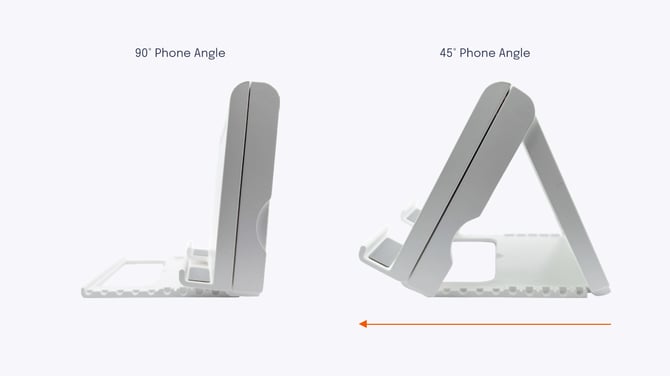
Adjust the Angle: Open the phone stand and tilt to the desired angle for your shot.
Mount Your Smartphone: Place your smartphone securely on it. Position the stand in front of your GemLightbox and open GemIQ to begin shooting.
Expected Result
Your smartphone is securely mounted on the phone stand at the correct height and angle, ready to capture high-quality images and videos of your jewelry inside the GemLightbox.
If This Does Not Work
Stand is unstable: Ensure the phone is centered on the stand for proper balance.
Phone position slips: Remove any additional covers or accessories on the phone
Stand is stuck: Do not force the stand if is too tight. Try to gently work it loose. Ensure you are pushing it in the correct direction.
Common Mistakes
Wrong angle: The phone stand is placed in an angle that is not suitable for the shot.
Placing the phone off-center: An unbalanced phone can make the stand less stable and affect the angle of your shots.