![Picup Media_Logo_on White_RGB.png]](https://support.picupmedia.com/hs-fs/hubfs/Picup%20Media_Logo_on%20White_RGB.png?height=40&name=Picup%20Media_Logo_on%20White_RGB.png)
Checking Your Retouching Order
To check the status of your retouching order or your order history, please follow the steps below:
-
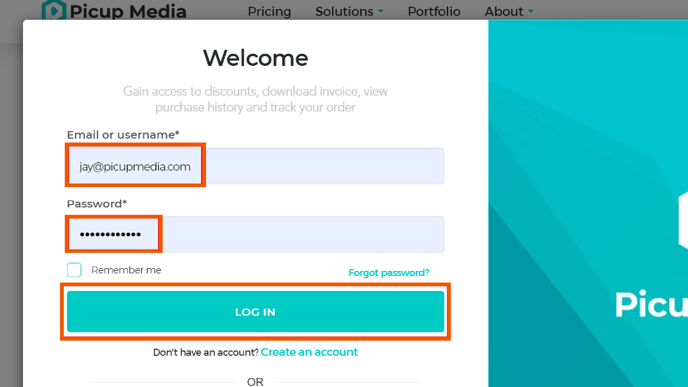
Log in to your Dashboard Account.

-
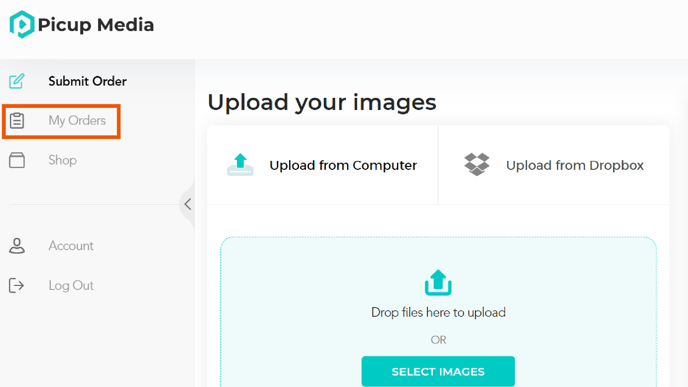
Go to my order My Orders and search for the retouching order.
-
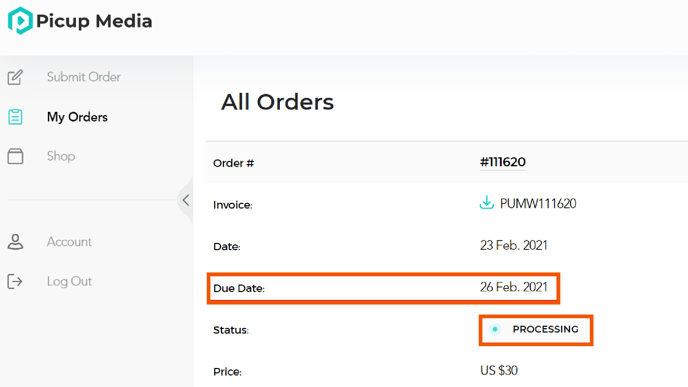
If your order is PROCESSING, then, our team is currently working on your order and will return it on the Due Date.
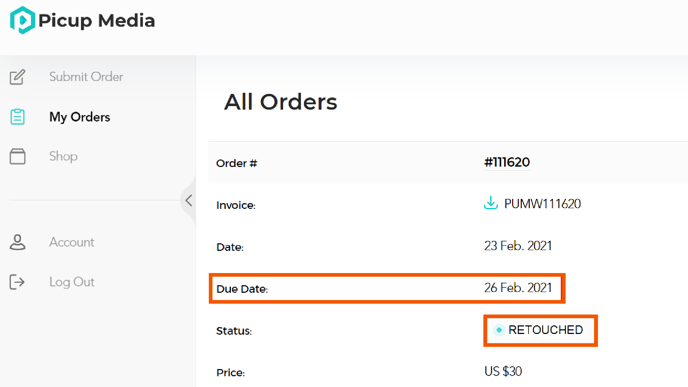
If your order is RETOUCHED, then, your order has been successfully completed and you may download your images at any time.
If your order is IN REVISION, then, our team is currently revising your images and will return them as soon as possible.
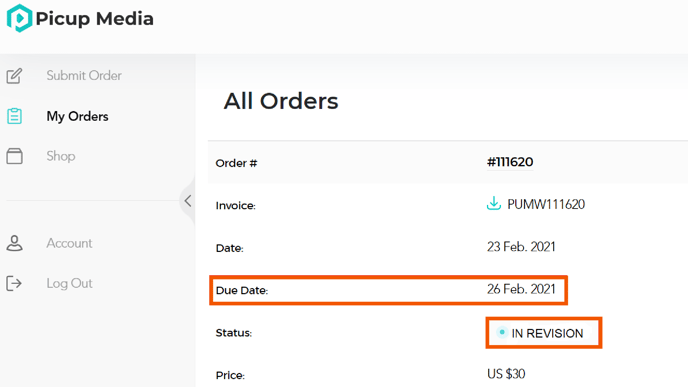
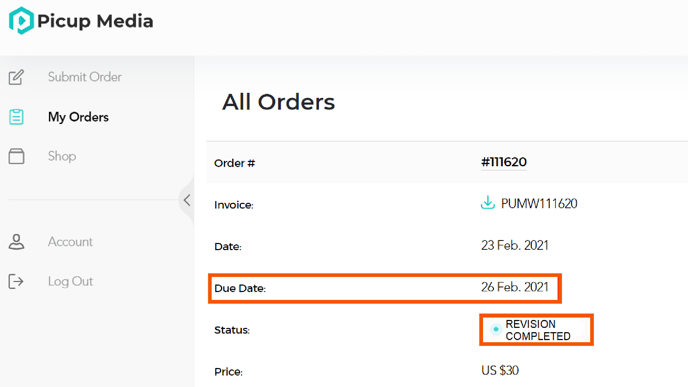
If your order status reads REVISION COMPLETED, then your images have been successfully revised by our team and are ready to download at any time.
Expediting Your Retouching Order
You can request for a retouching order to be expedited should it be required.
Please contact retouching@picupmedia.com and quote your order number and our retouching team will review your request.